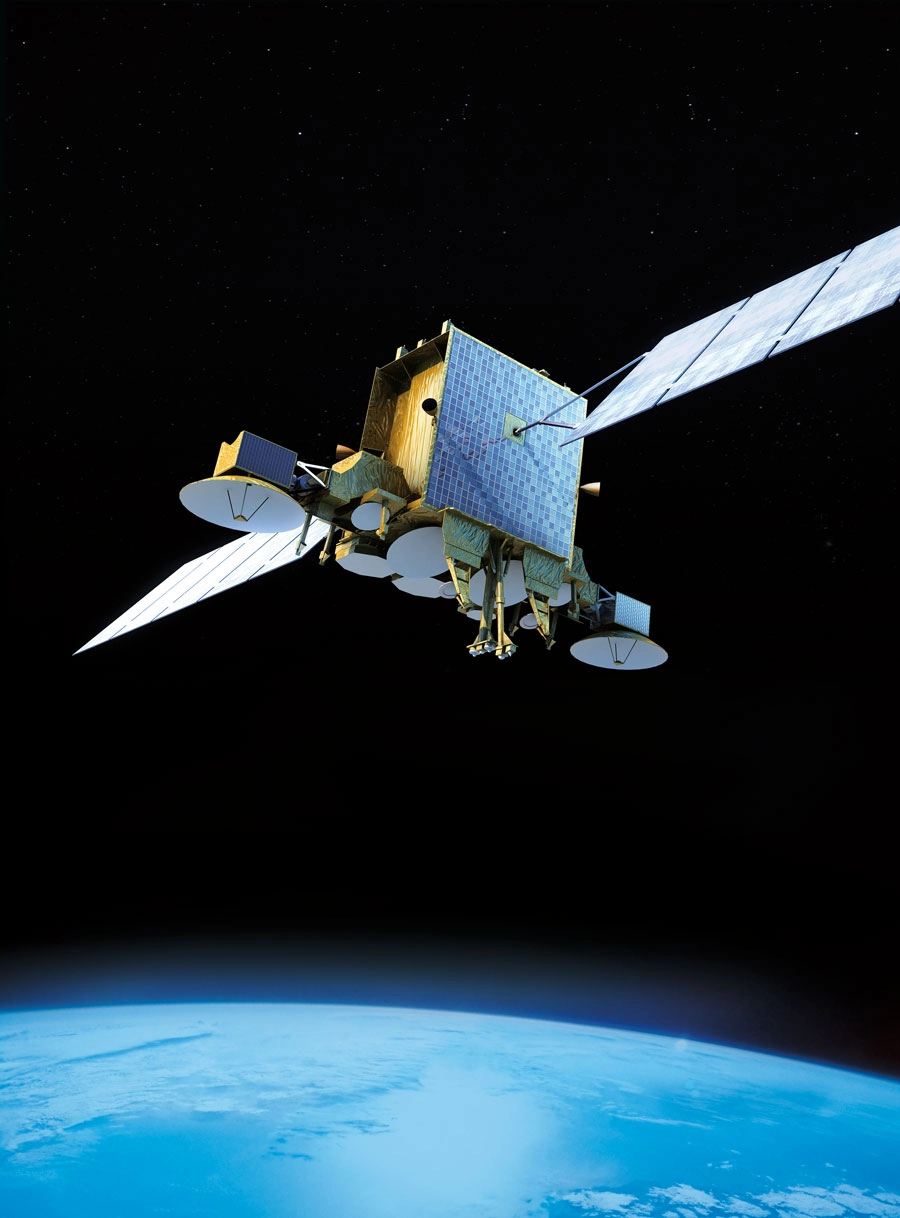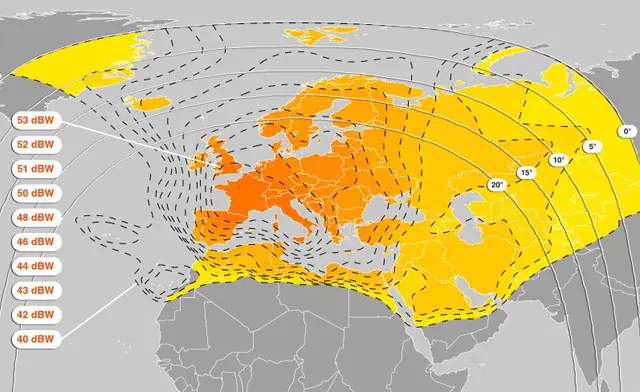
Nilesat is one of the most important communication satellites in the Middle East and North Africa (MENA) zone. Since its launch in 1998, it has become the backbone of satellite broadcasting in the zone, offering a wide range of services including television, radio, and internet. Known for its extensive coverage and reliability, Nilesat plays a crucial role in connecting millions of watchers, businesses, and institutions across the Arab world.
🚀 On the subject of Nilesat
Nilesat, operated by the Egyptian company Nilesat Satellite Communications, provides satellite broadcasting services to a wide range of customers across the Middle East, North Africa, and parts of Europe. The satellite allows for the transmission of television and radio signals, as well as data and internet services.
Nilesat’s fleet of satellites serves multiple purposes:
-
Broadcasting television channels: Free-to-air and subscription-based channels.
-
Radio broadcasting: National and regional radio stations.
-
Data services: Internet access and other telecommunication services.
-
Corporate communications: For businesses and institutions requiring dedicated communication lines.
With several satellites in orbit, including Nilesat 101, Nilesat 102, and the more recent Nilesat 201, the network continues to grow in capacity and service offerings.
🌐 Nilesat’s Satellite Fleet
Nilesat operates a fleet of geostationary satellites positioned to serve the MENA zone and beyond. These satellites are carefully positioned to provide the best possible signal coverage. Key satellites in the fleet include:
-
Nilesat 101
-
Nilesat 102
-
Nilesat 201
-
Nilesat 301 (upcoming)
These satellites are strategically placed to ensure seamless coverage for broadcasting television channels, radio stations, and other telecommunication services.
🛰️ Frequencies and Services on Nilesat
Nilesat operates across various frequency bands, including the C-band and Ku-band. These frequencies are used for various services:
-
C-band: Primarily used for long-range communication and broadcasting, C-band offers a stable signal with less interference from weather conditions. It’s commonly used for television broadcasting.
-
Ku-band: This band is widely used for satellite television broadcasting and internet services. The Ku-band offers higher capacity and smaller antennas, making it ideal for both residential and commercial use.
Nilesat also provides a variety of frequency ranges that enable users to access a broad array of channels and services. Users looking to set up satellite systems can find detailed guides to help them tune in to the correct frequencies.
📡 How to Receive Nilesat Signals
To access Nilesat’s satellite signals, users need a satellite dish and a decoder that supports the appropriate frequency bands (C-band or Ku-band).
The dish must be correctly aligned with the satellite’s orbital position for optimal signal reception. Once the dish is set up, users can enter the corresponding frequency in their decoder to access the desired channels.
Common Nilesat Frequencies:
-
Nilesat 101/102 Frequency:
-
Frequency: 11.977 GHz (Vertical)
-
Symbol Rate: 27500
-
FEC: 3/4
-
-
Nilesat 201 Frequency:
-
Frequency: 12.515 GHz (Horizontal)
-
Symbol Rate: 27500
-
FEC: 3/4
-
Users can access various television channels, radio stations, and data services on these frequencies.
For easy access to these frequencies and satellite configurations, Sat Index is a reliable platform offering up-to-date information on Nilesat’s channels, frequencies, and settings.
Nilesat remains a vital asset for satellite communications and broadcasting in the Arab world.
With its broad coverage, extensive services, and reliable signal quality, it is a key player in delivering television, radio, and internet services to millions of people in the MENA zone.
Whether you’re looking to set up a satellite system for personal or commercial use, Nilesat continues to provide top-notch services. For more information on frequencies and satellite settings, Sat Index offers the most comprehensive and current satellite guides.
Measuring Signal Quality Using a Sat Meter
- Connect the Sat Meter between the LNB and decoder for accurate readings.
- Check signal strength and quality before finalizing dish alignment.
- Use the meter to troubleshoot weak signals or interference.
- Regularly verify readings to maintain optimal reception.
Using Dual Dishes to Receive Multiple Satellites
- Install two dishes to target different satellites simultaneously.
- Use DiSEqC switches to connect both dishes to a single decoder.
- Ensure both dishes are properly aligned to their respective satellites.
- Consider multi-feed solutions for compact installations.
Best Apps to Track Satellites on Your Phone
- Use satellite tracking apps to find azimuth and elevation angles.
- Access real-time satellite positions and footprints.
- Receive notifications for satellite launches or channel changes.
- Some apps provide augmented reality views to assist dish alignment.
Using Multi-Satellite Reception Techniques
- Install DiSEqC switches to connect multiple LNBs to a single decoder.
- Use motorized dishes to automatically track different satellites.
- Configure decoder settings to switch between satellites efficiently.
- Ensure all LNBs are properly aligned for optimal signal strength.
- Consider multi-feed setups for simultaneous reception of several satellites.
Using Dual Dishes to Receive Multiple Satellites
- Install two dishes to target different satellites simultaneously.
- Use DiSEqC switches to connect both dishes to a single decoder.
- Ensure both dishes are properly aligned to their respective satellites.
- Consider multi-feed solutions for compact installations.
Difference Between Free-to-Air and Scrambled Satellites
- Free-to-air satellites broadcast channels without encryption.
- Scrambled satellites require subscription or smart cards to decode content.
- Consider costs and availability when choosing satellite services.
- Check the legality of accessing scrambled channels in your country.